How great is this video from Isabelle for Justina's Find Beauty Challenge? I love it!
Get all the deets here.
And did you catch Miss Erin's? It rocks too!
Only a few more days to play! Tell us what beauty is to you!
~Lorie Ann

Showing posts with label find beauty challenge. Show all posts
Showing posts with label find beauty challenge. Show all posts
Friday, March 27, 2009

Thursday, February 26, 2009
Behind the Scenes: The Making of a Trailer, Part 2
If you missed Part 1 of this Behind the Scenes Operation TBD Trailer tutorial, check it out here.
For the Operation TBD trailer, I wanted to create a Wizard of Oz kind of feeling, going from last year's event in sepia and switching to color for the upcoming event (besides, Andrea's music makes me think of old movies). I wanted the books in the video to simulate Rocking the Drop - teens and authors and publishers dropping thousands of books across the country - and used a few book covers from each of the publisher donors. Even better, and totally coincidentally, the first book to pop up is a Wizard of Oz graphic novel!
Ok, once you have your music and an idea rattling around in your head, it's time to create the images. There are basically three ways to do this: use video footage, use still images, or create titles within your moviemaking program.
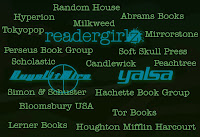
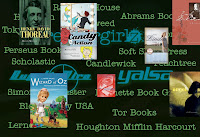
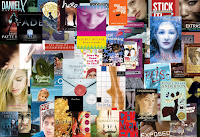
The TBD trailer is compiled of still images (made in PhotoShop) and title effects (more on this later). For the rgz/GuysLitWire/YALSA/ publishers/tons of dropping books section, I made over 70 images to layer one after the other. Here are just a few:

Here's the part where the Mac people will want to throw fruit at me, because I use Windows Movie Maker (even worse...I run Vista on my MacBook Air). So I know there has to be a free moviemaking program for Mac OS X (iMovie?), but it's probably so user-friendly that you don't even need this tutorial (uh, unless you happen to be running Vista on your Mac).
 In Movie Maker, everything is pretty drag-and-drop. The import bar is on the left, and you can import videos, pictures, and audio files. Once you have imported all of your components, you basically just drag and drop them onto the appropriate slot on the timeline bar at the bottom. To add titles (all of the text zooming in and out), just go to Tools -> Titles and Credits, and follow the instructions.
To create effects, like old film grain, fading in and out, sepia, or the cool warp that made Ellen Hopkins' books look like they were marching across the screen, go to Tools -> Effects. A bunch of options will present themselves. You can test them on the upper right screen and then drag and drop them directly onto each slide.
You can synch your images and titles by using the zoom tool above the timeline bar and adjusting the length of time that image is in the movie down to fractions of a second - for instance, I tried (very hard!) to hit the beats on Andrea's song when transitioning to another image for greater impact. If you are using video footage, you may want to tinker with the music and sound so that you don't lose the audio.
A more complete Windows Movie Maker tutorial is available here.

Looking for an excellent place to use your newly acquired movie-making skills? Check out the North of Beautiful Find Beauty Challenge! Justina is giving away an iTouch, and for every video uploaded, Justina will donate $10 to Global Surgical Outreach, an amazing group that helps kids with cleft lips and palates in the third world. See the details here!
Holly Cupala, author & rgz diva

For the Operation TBD trailer, I wanted to create a Wizard of Oz kind of feeling, going from last year's event in sepia and switching to color for the upcoming event (besides, Andrea's music makes me think of old movies). I wanted the books in the video to simulate Rocking the Drop - teens and authors and publishers dropping thousands of books across the country - and used a few book covers from each of the publisher donors. Even better, and totally coincidentally, the first book to pop up is a Wizard of Oz graphic novel!
Ok, once you have your music and an idea rattling around in your head, it's time to create the images. There are basically three ways to do this: use video footage, use still images, or create titles within your moviemaking program.
The TBD trailer is compiled of still images (made in PhotoShop) and title effects (more on this later). For the rgz/GuysLitWire/YALSA/ publishers/tons of dropping books section, I made over 70 images to layer one after the other. Here are just a few:


Here's the part where the Mac people will want to throw fruit at me, because I use Windows Movie Maker (even worse...I run Vista on my MacBook Air). So I know there has to be a free moviemaking program for Mac OS X (iMovie?), but it's probably so user-friendly that you don't even need this tutorial (uh, unless you happen to be running Vista on your Mac).
 In Movie Maker, everything is pretty drag-and-drop. The import bar is on the left, and you can import videos, pictures, and audio files. Once you have imported all of your components, you basically just drag and drop them onto the appropriate slot on the timeline bar at the bottom. To add titles (all of the text zooming in and out), just go to Tools -> Titles and Credits, and follow the instructions.
 To create effects, like old film grain, fading in and out, sepia, or the cool warp that made Ellen Hopkins' books look like they were marching across the screen, go to Tools -> Effects. A bunch of options will present themselves. You can test them on the upper right screen and then drag and drop them directly onto each slide.
You can synch your images and titles by using the zoom tool above the timeline bar and adjusting the length of time that image is in the movie down to fractions of a second - for instance, I tried (very hard!) to hit the beats on Andrea's song when transitioning to another image for greater impact. If you are using video footage, you may want to tinker with the music and sound so that you don't lose the audio.
A more complete Windows Movie Maker tutorial is available here.
Looking for an excellent place to use your newly acquired movie-making skills? Check out the North of Beautiful Find Beauty Challenge! Justina is giving away an iTouch, and for every video uploaded, Justina will donate $10 to Global Surgical Outreach, an amazing group that helps kids with cleft lips and palates in the third world. See the details here!
Holly Cupala, author & rgz diva
Tuesday, February 24, 2009
Behind the Scenes: Operation TBD trailer
Haven't seen it yet? Well, here it is, in all its green glory:
This is my second trailer for a readergirlz project (the first being the readergirlz Night Bites trailer in honor of YALSA's 2008 Teen Read Week), so I thought I'd give you a few of the behind-the-scenes deets of making a movie - especially if you plan to make an entry for Justina Chen Headley's North of Beautiful Find Beauty Challenge! On Thursday I will post part 2, a short Windows moviemaking tutorial on how to put it all together.
First, you need the perfect music for your trailer - something that inspires your mind, coordinates with your images and/or video footage, and that you will love to listen to at least a hundred times before you are finished.
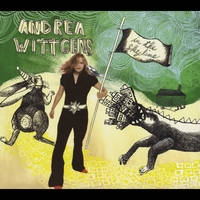 "Marching Orders," by lovely and talented Seattle singer/songwriter/musician Andrea Wittgens, is all that and more - edgy, catchy, and thematically right on. (Thanks to my artist friend Alice Engelhardt for suggesting her!)
Next, you need permission - because it's not OK to use someone's music without their permission any more than it's ok for someone to plagiarize your writing or art or whatever, and there are plenty of free music sites on the web for just this purpose (Google "royalty-free music" to find public domain music, or find someone you know who makes music, or be brave and send your favorite band a message on MySpace). Generally it's easier to get permission for indie music on small labels versus the big ones that want big royalties - it was rumored that Microsoft paid between $8 and $14 million for permission to use The Rolling Stones' "Start Me Up" in their Windows '95 marketing campaign - so if someone give you permission, be very very grateful. (Have I mentioned how much we love Andrea?? Check out her album at CD Baby!)
Once you have your music, you're ready for the next step: putting it all together. Stay tuned for Part 2 on Thursday!
Holly Cupala, author & rgz diva
This is my second trailer for a readergirlz project (the first being the readergirlz Night Bites trailer in honor of YALSA's 2008 Teen Read Week), so I thought I'd give you a few of the behind-the-scenes deets of making a movie
- especially if you plan to make an entry for Justina Chen Headley's North of Beautiful Find Beauty Challenge! On Thursday I will post part 2, a short Windows moviemaking tutorial on how to put it all together.First, you need the perfect music for your trailer - something that inspires your mind, coordinates with your images and/or video footage, and that you will love to listen to at least a hundred times before you are finished.
"Marching Orders," by lovely and talented Seattle singer/songwriter/musician Andrea Wittgens, is all that and more - edgy, catchy, and thematically right on. (Thanks to my artist friend Alice Engelhardt for suggesting her!)Next, you need permission - because it's not OK to use someone's music without their permission any more than it's ok for someone to plagiarize your writing or art or whatever, and there are plenty of free music sites on the web for just this purpose (Google "royalty-free music" to find public domain music, or find someone you know who makes music, or be brave and send your favorite band a message on MySpace). Generally it's easier to get permission for indie music on small labels versus the big ones that want big royalties - it was rumored that Microsoft paid between $8 and $14 million for permission to use The Rolling Stones' "Start Me Up" in their Windows '95 marketing campaign - so if someone give you permission, be very very grateful. (Have I mentioned how much we love Andrea?? Check out her album at CD Baby!)
Once you have your music, you're ready for the next step: putting it all together. Stay tuned for Part 2 on Thursday!
Holly Cupala, author & rgz diva

Monday, February 23, 2009
Find Beauty Challenge
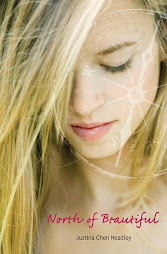
In honor of her latest release North of Beautiful, Justina Chen Headley's Find Beauty Challenge is underway, rgz!

Here's an excerpt:
Tell the world what you find to be Truly Beautiful! Just upload a 90-second video describing what real beauty means to you...and you could win yourself an iTouch! PLUS, for every uploaded video, I'll donate $10 (up to $1,000) to Global Surgical Outreach, an amazing group that helps kids with cleft lips and palates in the third world.
Submissions are coming in. Here's the latest:
If you don't have your own equipment, how about teaming up with classmates at school or asking your local librarian for assistance?
* catch that video on a camera, computer, or phone
* edit it with a program like Windows Moviemaker
* save it to publish
* upload it on youtube
* send your link to north@marthabee.com
Get going, ladies! Can't wait to see your submission. Shoot for that Grand Prize iPod Touch!

Monday, February 9, 2009
The Find Beauty Challenge!
 By now, you guys have surely heard all the great buzz about Readergirlz Diva Justina Chen Headley's new novel North of Beautiful--which got starred reviews absolutely everywhere--but have you heard about the Find Beauty Challenge on Youtube?
For every video about beauty that fans upload to this channel, Justina will donate $10--up to $1,000--to help children in third-world countries born with cleft lips and palates.
To enter, create a YouTube account, upload your video, and send a link to north AT marthabee.com. It'll be added to the Find Beauty Challenge channel. Tell all your friends to vote for you!
I am so making a video this week.

Subscribe to:
Posts (Atom)